The alarm you
can't snooze.
KIKU is the alarm that makes sure you're actually up. Do push-ups, solve math problems, or snap a photo of the sky to turn it off.
Coming soon on theApp StoreTap the badge to get an email the day it launches.
Three steps to an easier morning
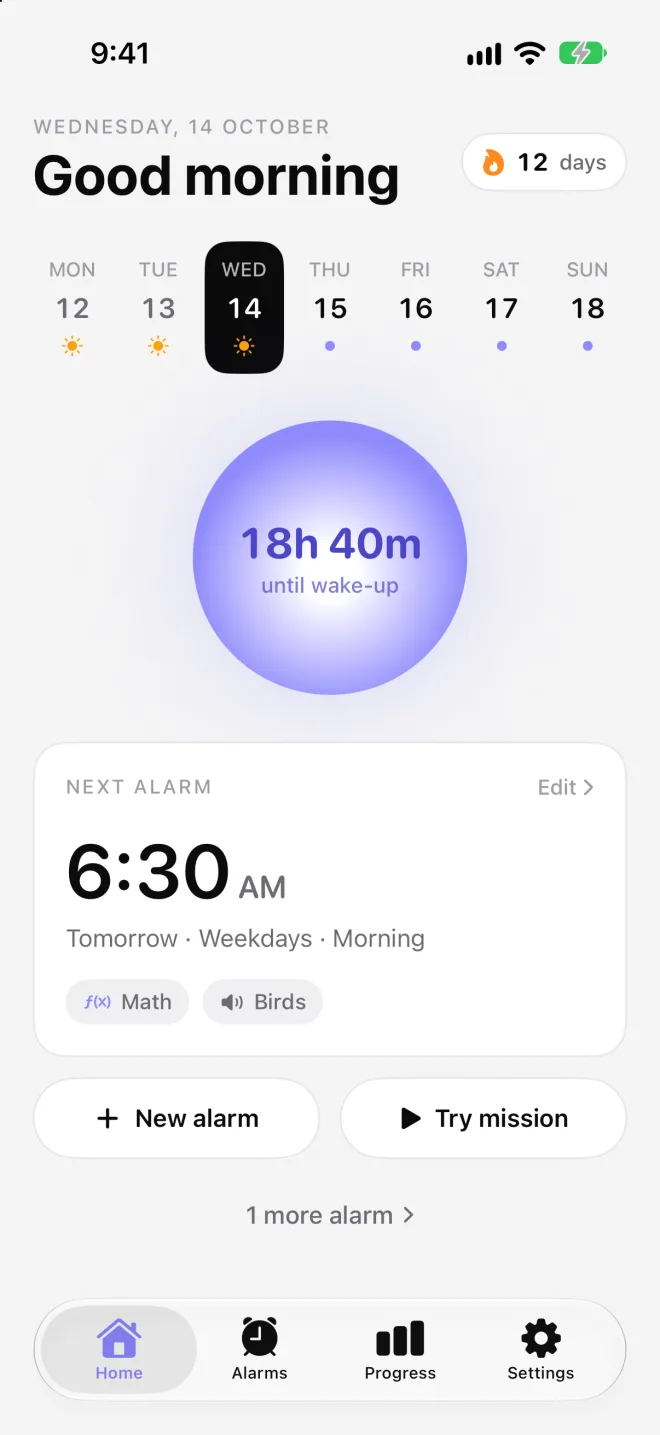
Set it up in under a minute tonight. Wake up on the first alarm tomorrow.
-
01
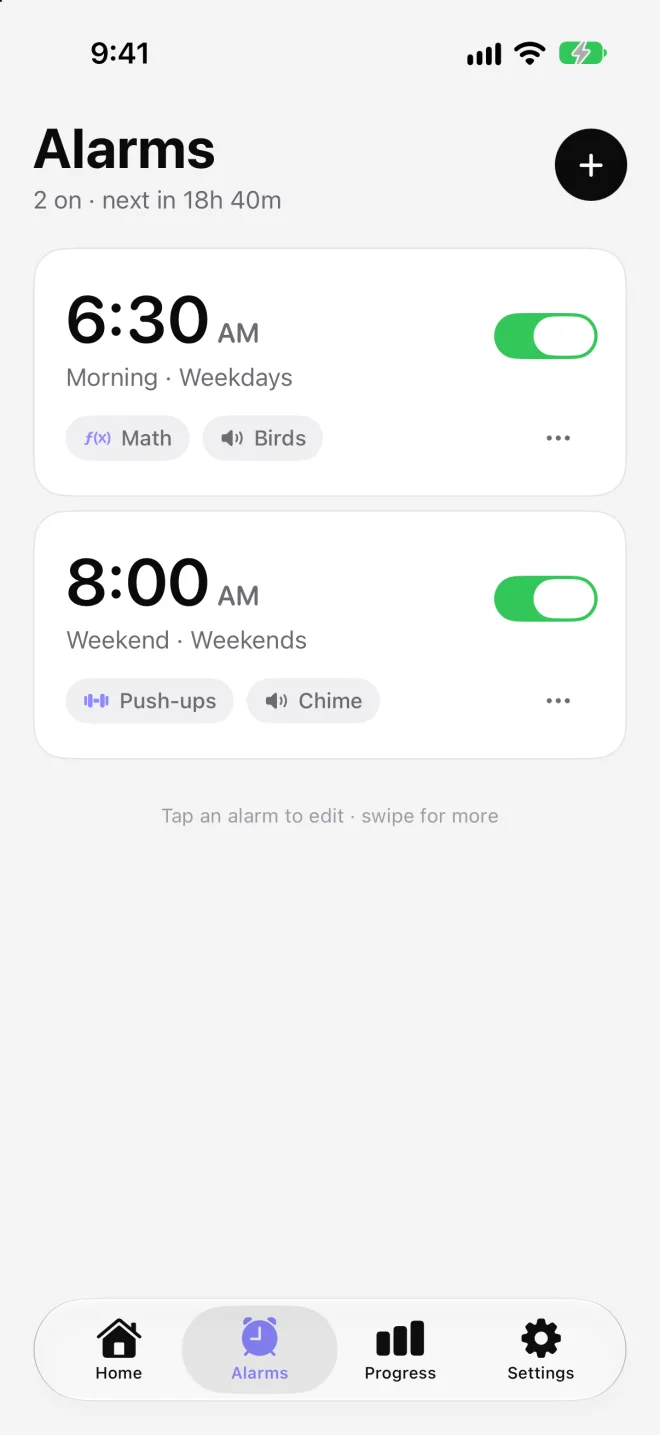
Create your alarm
Pick the time, the days it repeats, a sound, and the mission you'll need to finish to turn it off.
-
02
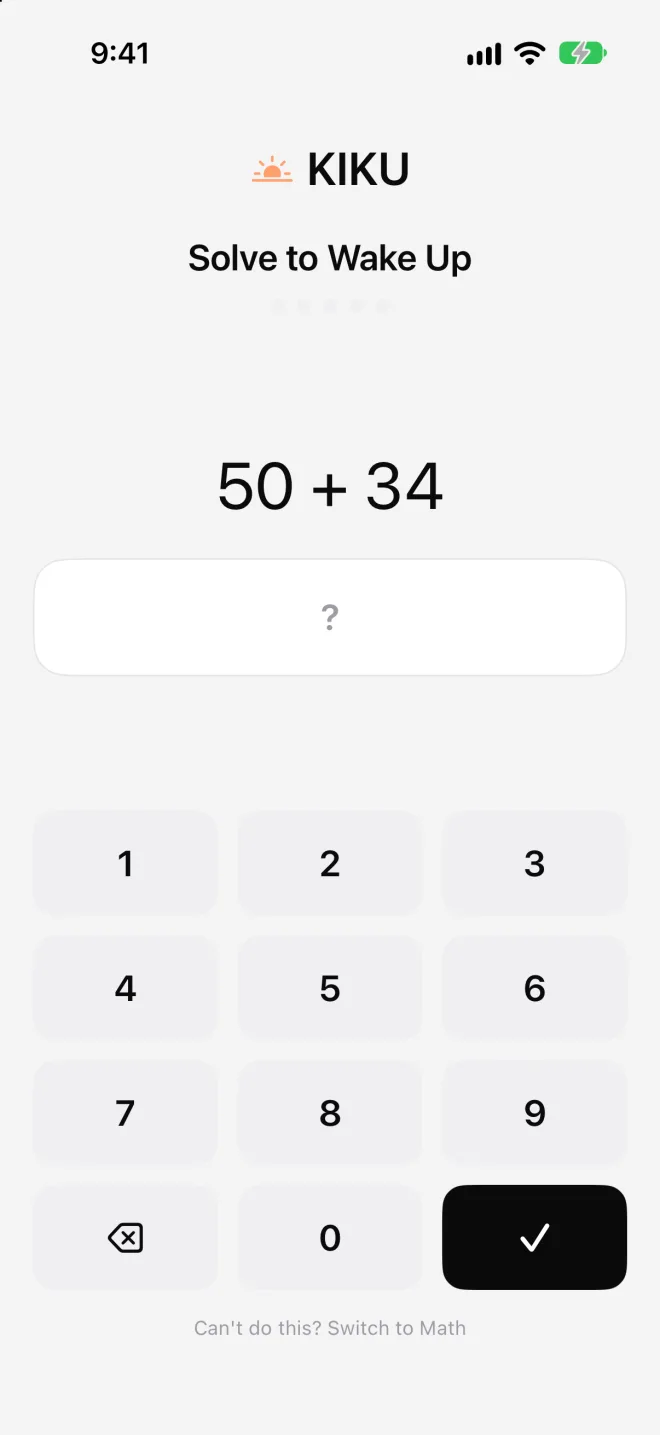
Complete the mission
When the alarm rings, the only way to stop it is to finish the mission you chose the night before.
-
03
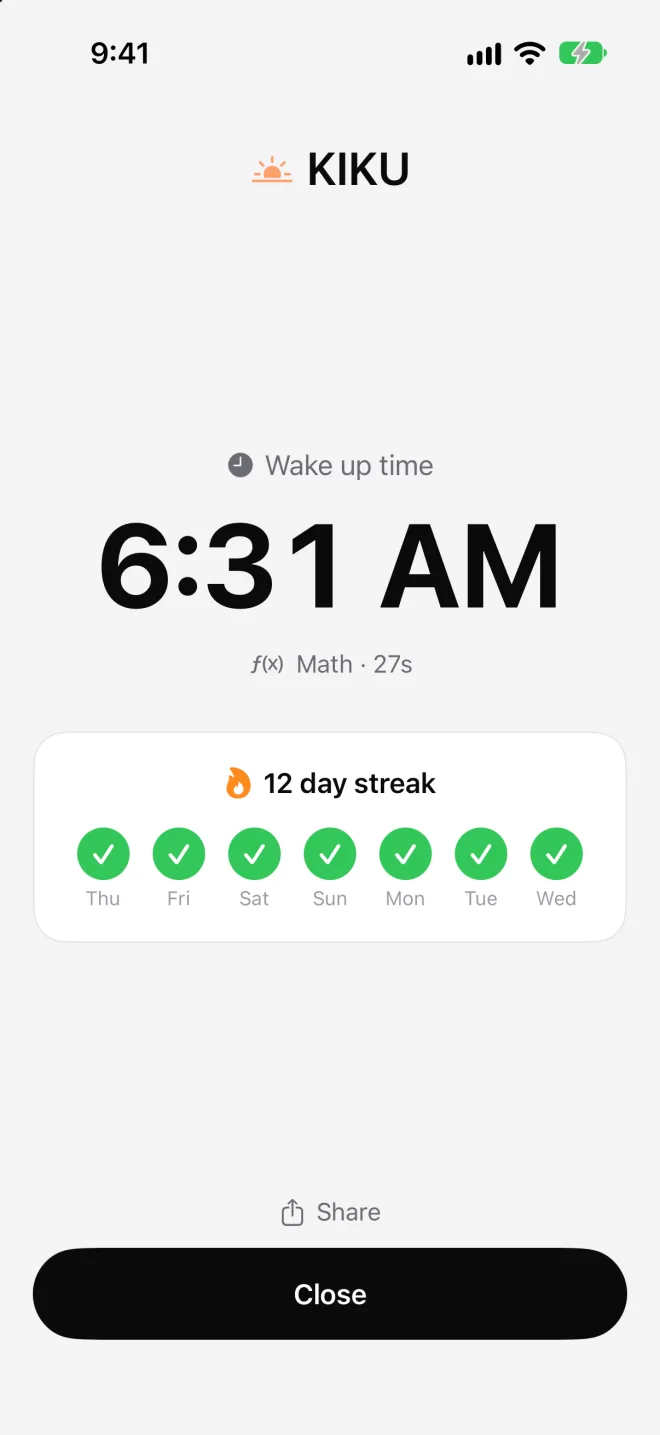
Alarm off. You're up.
By the time the mission is done, you're out of bed and awake, and your streak goes up by one.
Pick the mission that wakes you up
Move, think, snap a photo, or read something meaningful. Change it any night.
- Push-ups
- Squats
- Math
- Picture of the sky
- Make your bed
- Touch grass
- Item search
- Read a verse
- Affirmations
- Devotional
Built to keep you consistent
-
Camera-checked missions
Your camera counts each push-up and checks your photos, right on your phone.
-
Streaks and badges
Every morning you win grows your streak. Earn badges from day 1 to day 365.
-
Progress history
See your success rate, mission times, and every wake-up, week by week.
-
Private by design
No account and no tracking. Your mornings never leave your iPhone.
FAQ
How does KIKU's alarm work?
Set a time and choose a mission. When the alarm rings, there's no snooze button: it only stops once you finish the mission. If you ignore it, it rings again every few minutes until you do.
How does it know I did the mission?
Push-ups and squats are counted with your front camera, which tracks your body's movement. Photo missions check that the picture shows the sky, a made bed, grass, or the item you were asked to find. Everything runs on your iPhone and nothing is uploaded.
What missions can I choose from?
Push-ups, squats, math, a picture of the sky, making your bed, touching grass, item search, reading a verse, affirmations, and a devotional.
What if I can't do the mission that morning?
Every camera and read-aloud mission has a "Switch to Math" option, so a sore arm or a dark room won't leave you stuck. The alarm still only stops once a mission is done.
How do streaks work?
Your streak goes up by one each day you finish a wake-up mission. Miss a day and it starts again from zero. Badges unlock as your streak grows.
Do I need an account?
No. Your alarms and history stay on your iPhone, and KIKU has no tracking. See the privacy policy.
When is KIKU available?
KIKU is coming soon to the App Store for iPhone (iOS 18 or later). Email us and we'll let you know the day it launches.